How Kizani works
From lead to payout in one connected loop
Kizani replaces the patchwork of CRM, project tools, time trackers, and invoicing apps with a single workflow. Here is how data moves from first conversation to collected payment—without re-entering it at every step.
Why agencies choose one platform over three
No duplicate entry
Scope from an accepted quote becomes the project budget. Time logged on cards flows straight into invoices.
Clients stay in the loop
Quotes, progress, change requests, and payments live in one branded portal—not scattered across email threads.
Margin you can see
Budget burn and profitability reports use the same hours your team tracked—not a reconciliation export at month end.
Step 1
Win & Scope
CRM, quotes, and structured delivery plans
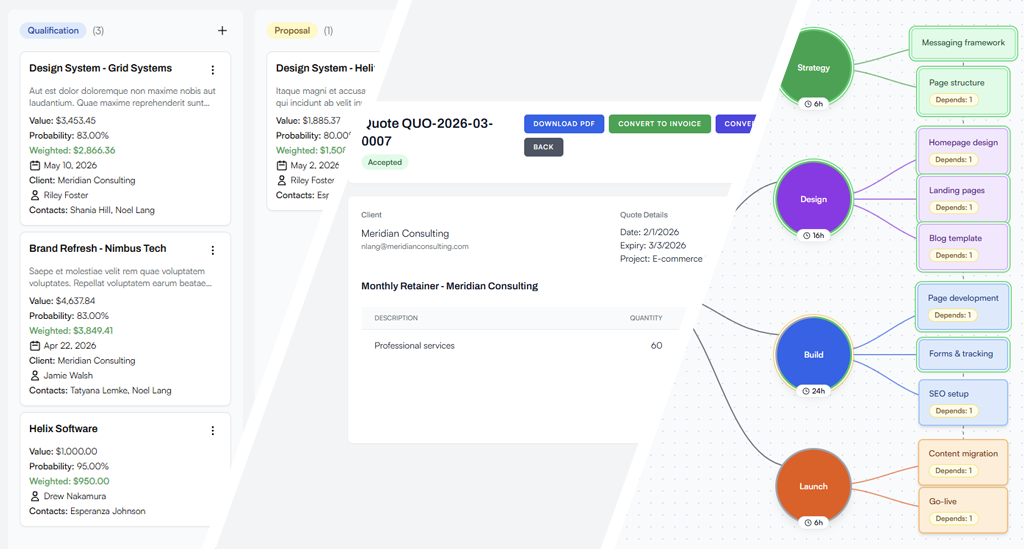
Capture opportunities in a sales pipeline, send professional quotes clients can approve online, and convert accepted work into a project with budget and scope already defined—no separate proposal tool or spreadsheet handoff.
- Track leads and opportunities on a Kanban sales pipeline with stage forecasting.
- Build quotes with line items, taxes, and optional project linkage—then email a secure link for client review.
- When a quote is accepted, convert it directly into a project with budgeted hours carried over.
- Paste a plain-text WBS wireframe (ideal output from an AI scope prompt), import it in one step, and use the same structure for quotes and Kanban scaffolding.
Want the full feature list? Explore sales, pipeline & quotes →
Step 2
Execute & Track
Kanban delivery with time logged where work happens
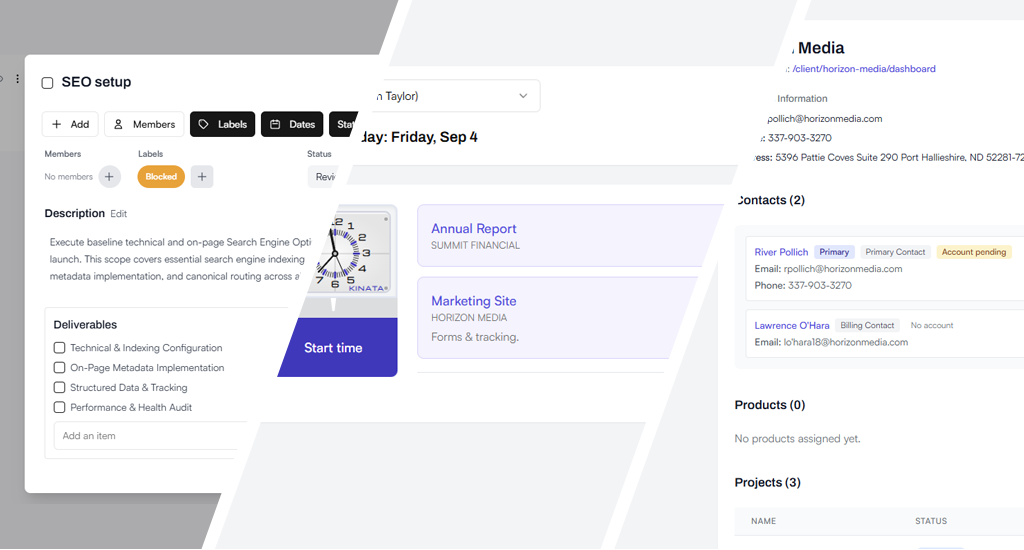
Run work on Kanban boards and Gantt timelines while your team logs time directly on task cards. Keep internal lists and cards private, share progress through the Client Portal, and handle scope changes with formal change requests.
- Organize work on Kanban boards with milestones, dependencies, and real-time updates across your team.
- Start and stop timers on cards—or link time entries to tasks—so billable hours stay tied to the work that produced them.
- Use client-visible and internal-only lists/cards so internal discussion stays private while clients see curated progress.
- Clients access a branded portal for roadmap views, invoices, quotes, and change requests without email back-and-forth.
Want the full feature list? Explore project management →
Step 3
Bill & Analyze
Invoices from logged work and live project burn
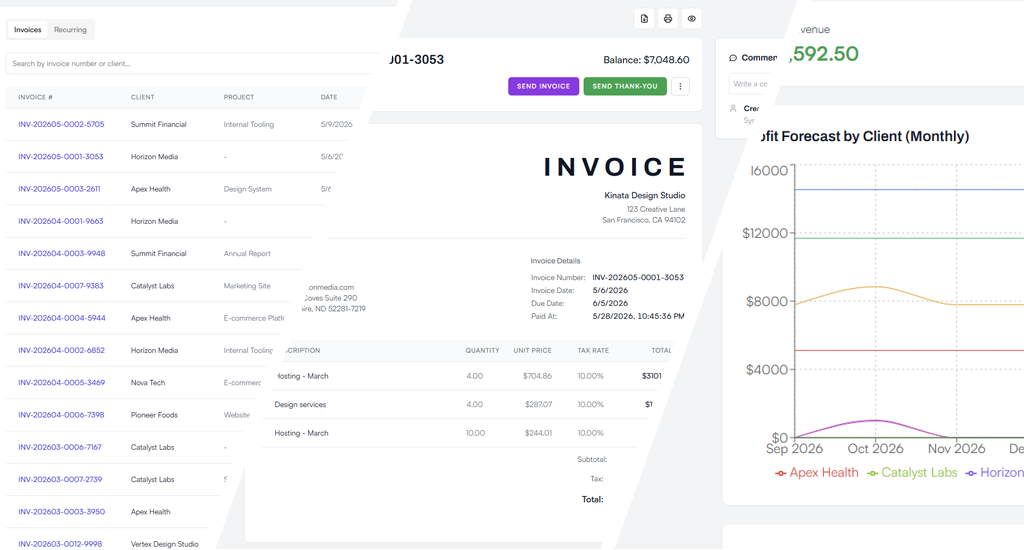
Turn uninvoiced time and expenses into professional invoices in a few clicks. Collect payment through the Client Portal, then monitor budget burn, profitability, and forecasts from the same data your team already logged.
- Generate invoices from uninvoiced time logs and project expenses—grouped by client, project, or date range.
- Send invoices with online payment via Stripe or PayPal; clients pay from their portal without extra tools.
- Get budget alerts as projects approach time or spend thresholds so you can intervene before margin slips.
- Review client profitability, P&L, income forecasts, and capacity planning from one connected dataset.
Want the full feature list? Explore time tracking & invoicing →